
Please follow the instructions below to send your invoice
Invoices are due on the 1st of the month (if you are getting paid monthly) & the 1st & 16th of the month (if you are getting paid every two weeks)
If you have ONE pay rate:
Login to Connecteam on a computer (you cannot download your timesheet on your phone)
From the left navigation sidebar, click Time Clock.
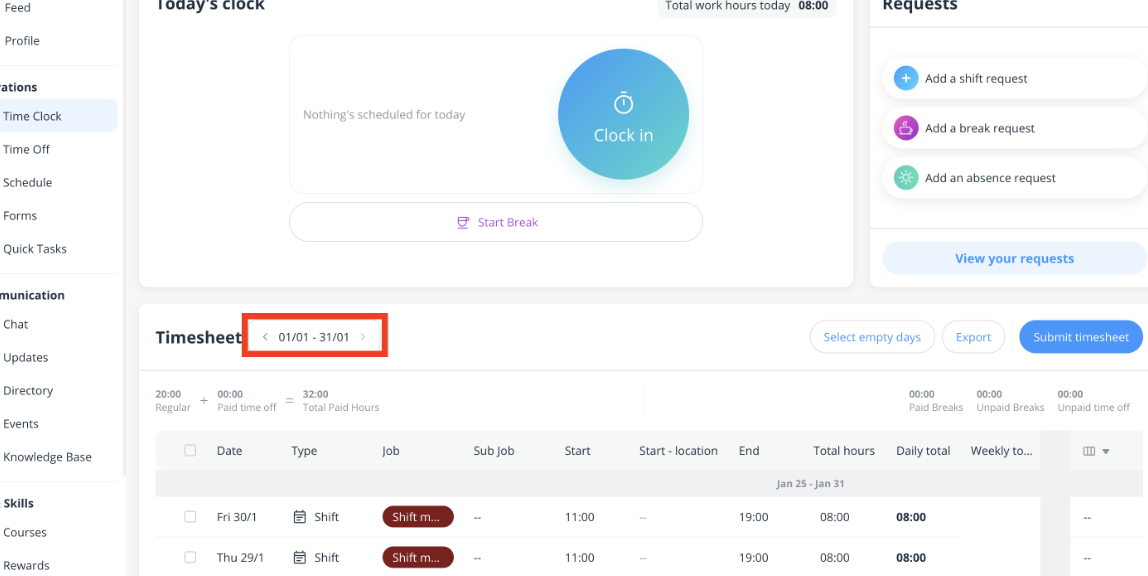
Select the pay period you want to export (on the left side of the page).
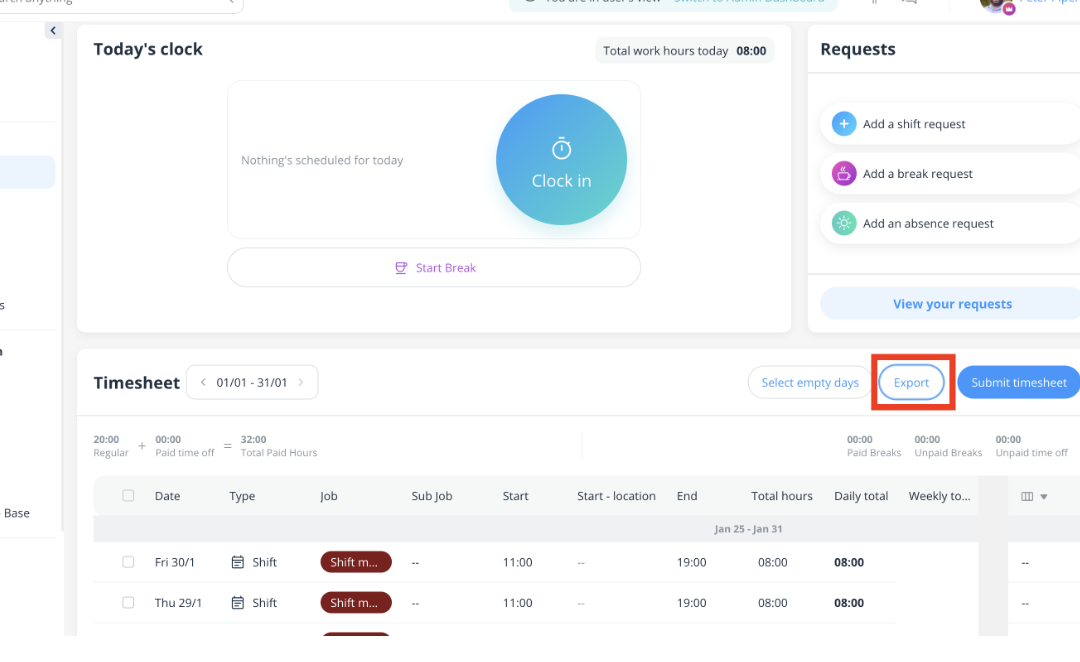
4. Click the Export button on the right side of the page to export your timesheets as a PDF. You will submit this timesheet with your invoice to Sharon.
5. Input your total paid hours & rate into the payroll calculator linked at the top of the page. Please do not use a regular calculator.
6. Input all this information into your invoice. We have provided an invoice template for you to use at the top of page. If you choose not to use this template, just make sure all necessary information is in your invoice.
7. Please send your invoice and daily timesheet to Sharon by midnight of the day following the end of the payment period. Timely submission is required to ensure payments are processed smoothly for the entire ensemble.
If you have 2 different pay rates for different performing jobs:
Follow steps 1-4
5. When you finish working, please Slack or email Sharon so she can send you the Job Insight form showing your hours by job.
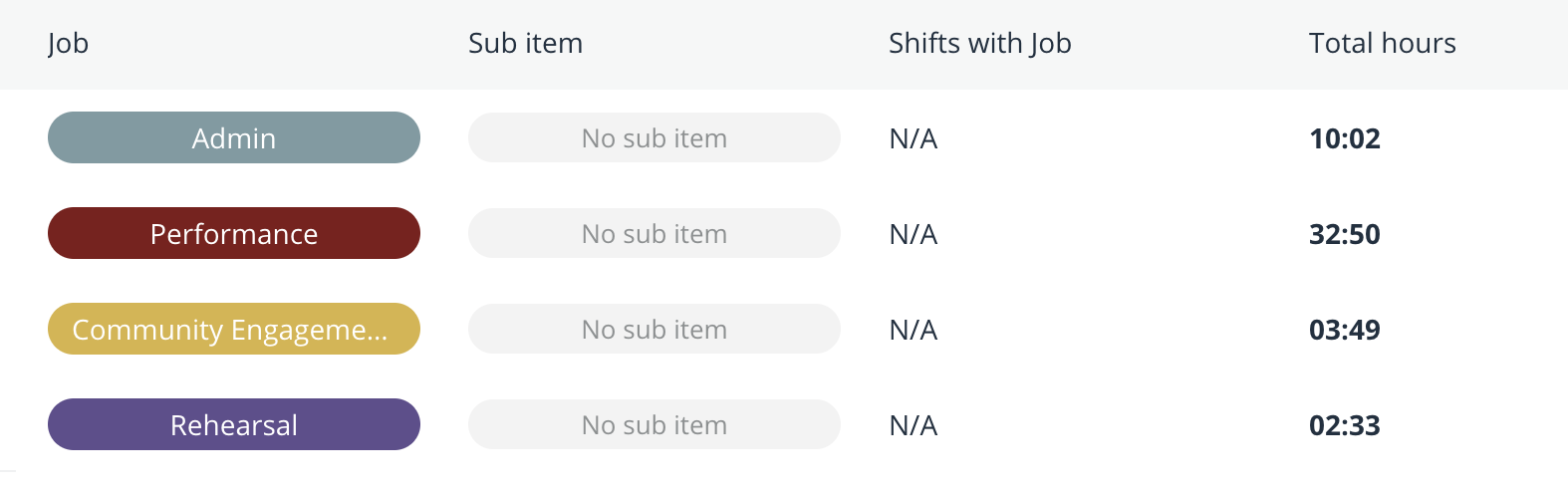
6. Use the form to total your hours for each job.
7. Enter each total into the payroll calculator using the correct pay rate.
8. List each job and its total hours as a separate line on your invoice.
9. Please email Sharon your: invoice, daily timesheet & Job Insight form by midnight of the day following the end of the payment period.